User Guides
Master the tools. Understand the flow.
User Guide: Sentinel Copilot (AI Context Engine)
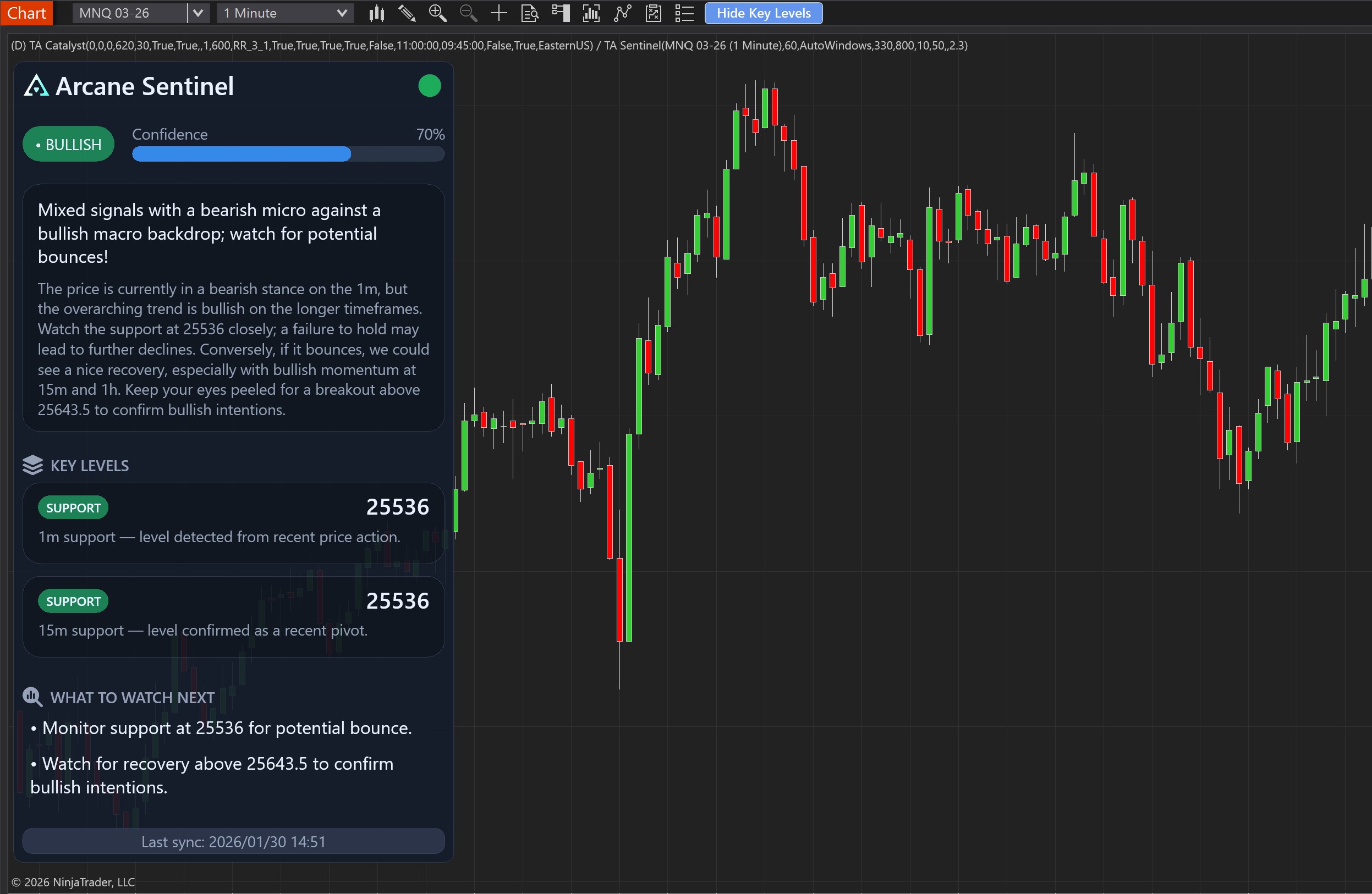
Sentinel Copilot is an advanced intelligence terminal designed to provide deep, narrative market context directly within NinjaTrader 8. Unlike conventional technical indicators, Sentinel uses state-of-the-art Artificial Intelligence to process price action and synthesize it into a readable thesis, Structural levels, and real-time bias projections.
Compatibility Note: Although Sentinel Copilot is the ideal companion to Catalyst Pro for a complete strategy, it is a fully independent product. It can be used alone to guide your discretionary trading or in combination with any other strategy.
Current coverage
Current active Sentinel coverage focuses on MNQ during the New York regular session. Sentinel is a market interpretation layer, not an execution bot or guaranteed signal engine.
1. Installation
Sentinel Copilot installs like any other NinjaTrader Add-on:
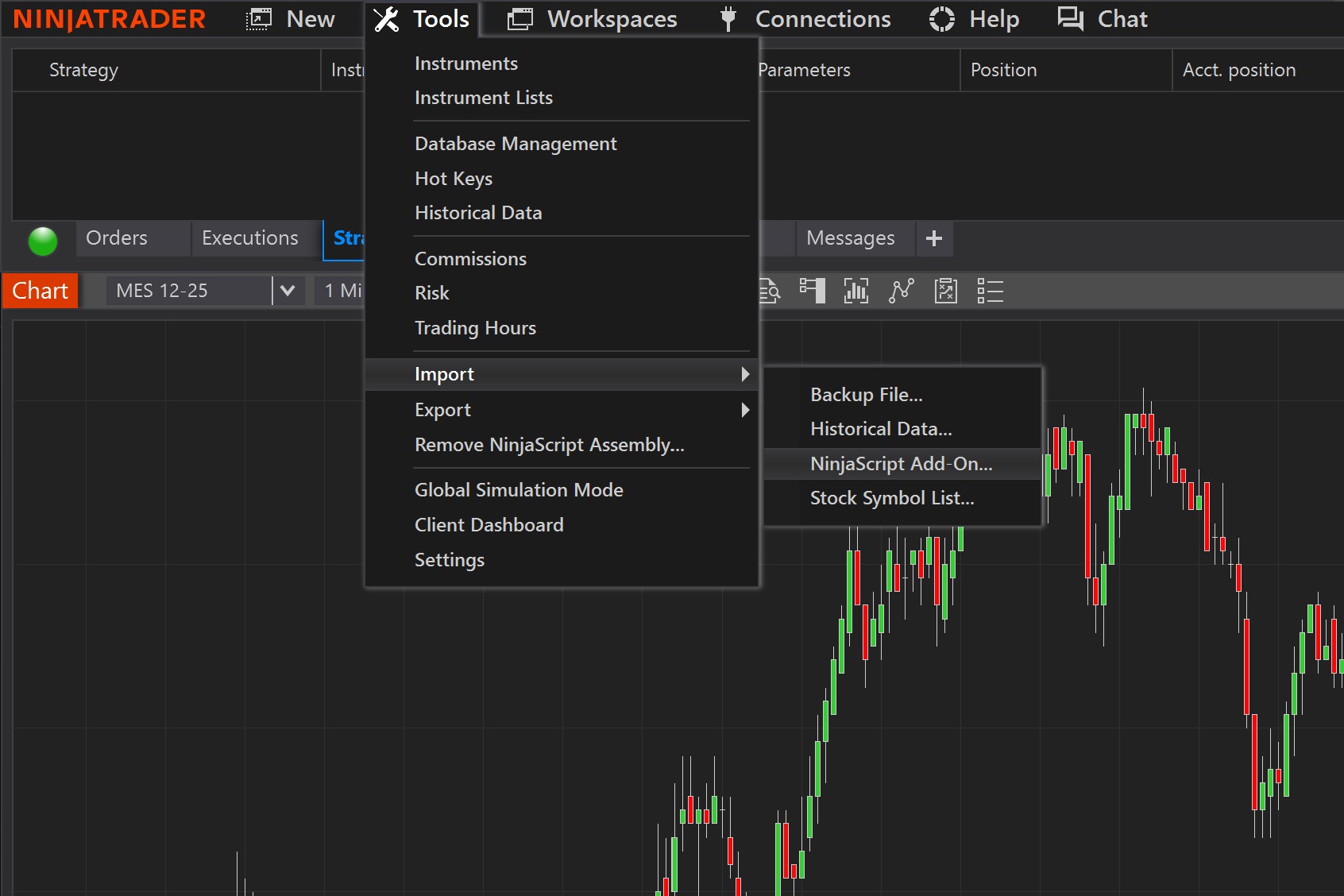
- Import the .zip file of the bundle (or individual product) from Tools > Import > NinjaScript Add-On.
- Confirm third-party software permissions and restart NinjaTrader.
- Add the indicator to the chart and the system will automatically connect to the AI server for the active symbol (MES, MNQ, etc.).
2. Property Settings (Interface)
Sentinel has been designed with SharpDX technology to offer a clean and scalable interface that does not impact your platform's performance.
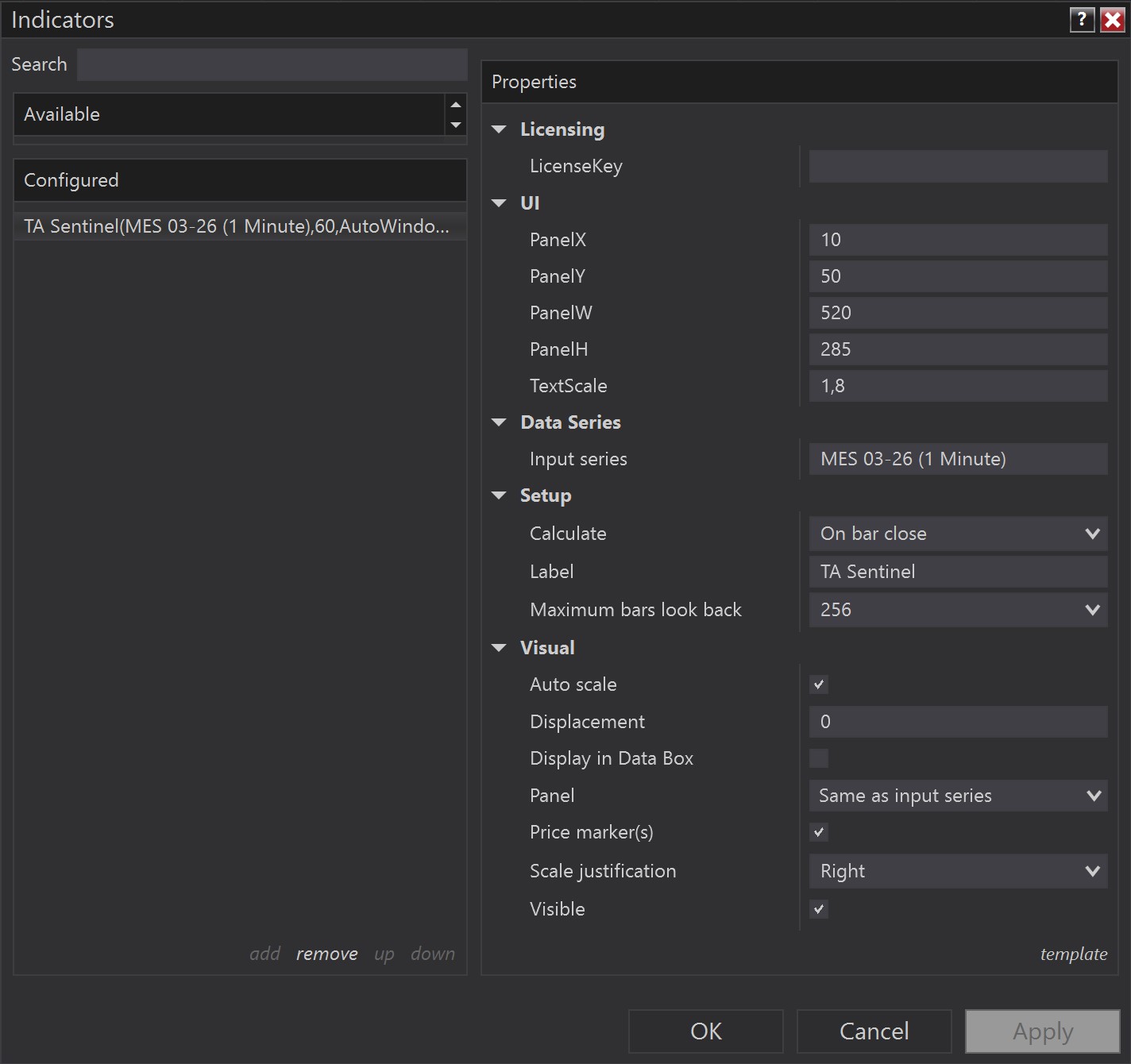
- PanelX / PanelY: Place the panel in any area of the chart using pixel coordinates.
- PanelW (Width) / PanelH (Height): Adjust the dimensions to suit your workspace.
- TextScale: Essential for high-resolution (4K) monitors. Allows you to scale the interface for perfect readability.
3. The Artificial Intelligence Engine
Sentinel does not calculate indicators on your PC; it connects to Trade Arcane servers where an AI processes order flow and fractal market structure.
- •Multi-timeframe Analysis: Evaluates 1m, 15m, 1h, and 4h structures to determine Structural direction.
- •Market Narrative: Translates complex technical data (such as BOS and CHOCH) into a written Thesis explaining the current context.
- •Confidence Meter: A probability indicator based on the convergence of data analyzed by the AI.
4. Interaction and Pro Features
Level Projection on the Chart
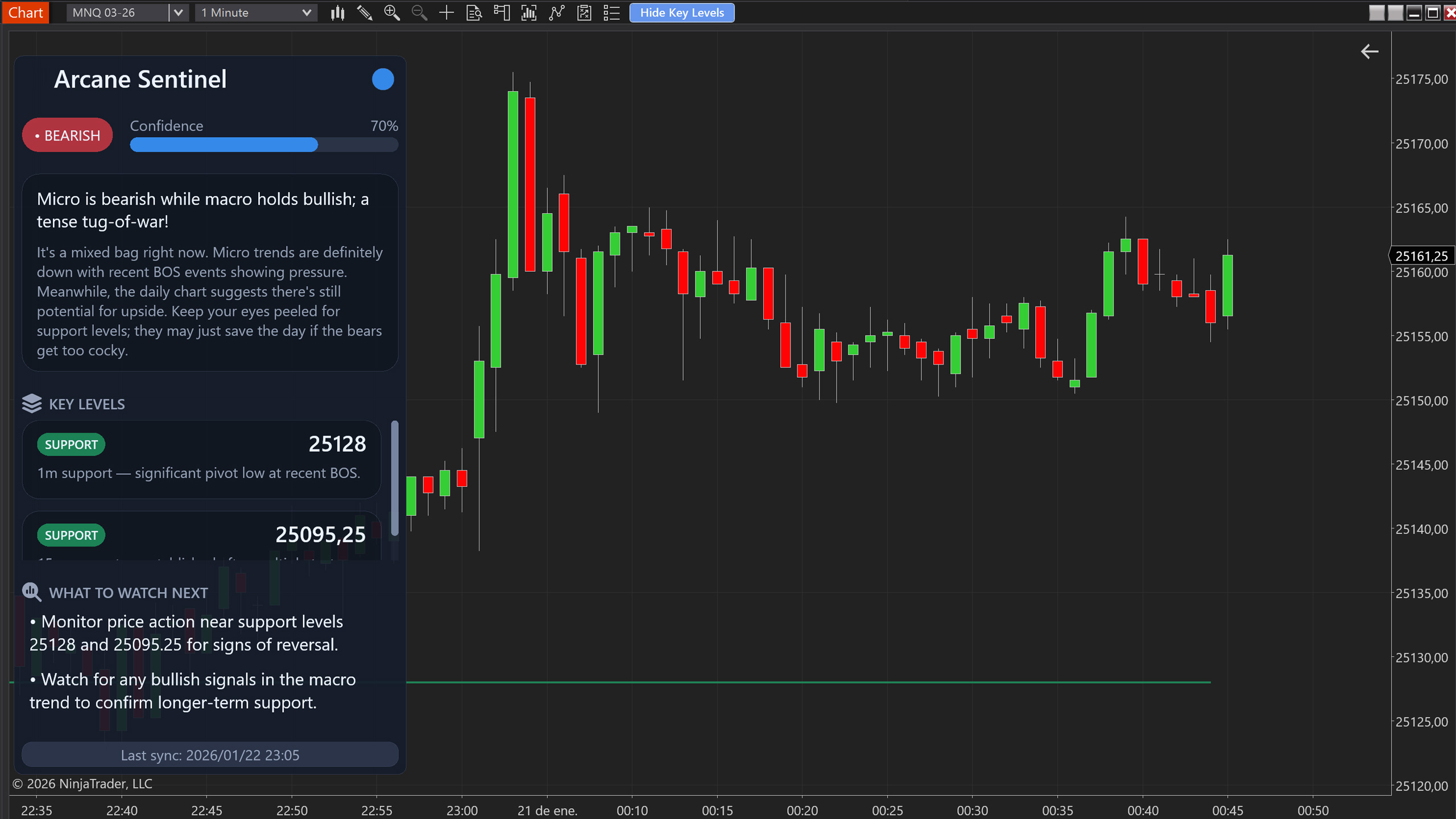
- Sentinel includes an exclusive button on your chart's Toolbar: 'Show/Hide Key Levels'.
- When activated, Structural support and resistance levels identified by the AI are projected directly onto the candles.
- Each level includes its time origin, allowing you to identify supply and demand zones with surgical precision.
Information Management (Update Pulse)
- The analysis is periodically refreshed to stay aligned with the market.
- Analysis Pause: If you need time to study a thesis, you can click the icon (⏸) to freeze the current update.
- Smart Synchronization: The system displays a progress bar when a new neural insight is being generated on the server.
5. Synergy (Optional)
If you use Catalyst Pro, Sentinel Copilot will enhance your trading by giving you the 'why' behind the strategy's technical entries. While Catalyst Pro executes with precision, Sentinel Copilot gives you the narrative confidence to hold or adjust your positions based on macro context.
6. Disclaimer
Sentinel Copilot is a support tool based on Artificial Intelligence algorithms. The information, levels, and theses provided do not constitute financial advice. Futures trading involves a high level of risk. Trade Arcane is not responsible for decisions made or losses incurred through the use of this tool. Always trade at your own risk.